From VK (Vkontakte)
Before starting the integration with news from the Vkontakte social network, you must complete the procedure of creating an application and obtaining a service token. Follow the instructions below to successfully complete all configuration steps.
1. Creating a VK Application
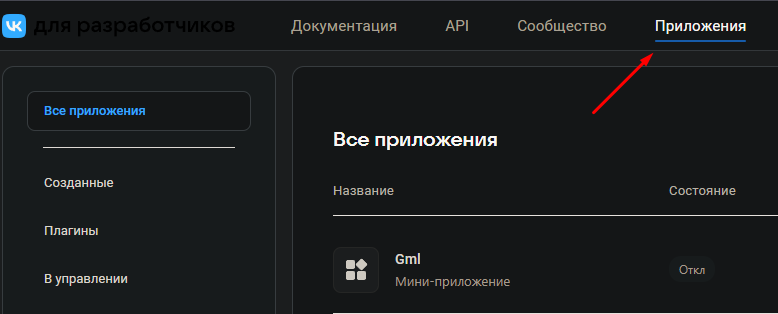
Go to the official VK developers website: https://dev.vk.com/admin/apps-list. If you are not logged in, sign in to your account. After successful authorization, open the "Applications" (Приложения) tab.
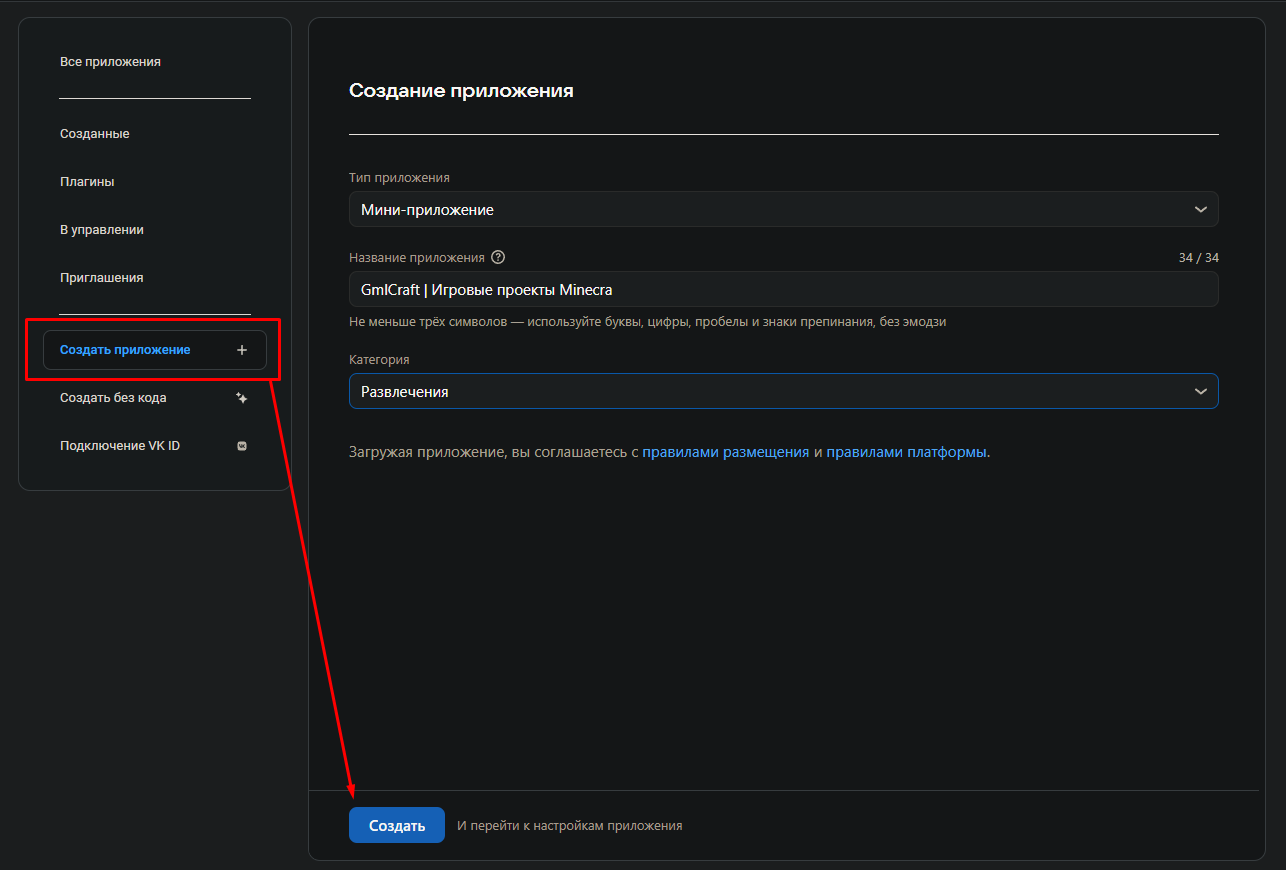
At this stage, you need to create a new application. Click the corresponding button and fill in all the necessary fields in the form on the right. Note that the accuracy of the provided data is crucial for the further operation of the application.
After filling in all fields, confirm the creation of the application.
2. Obtaining a Service Token
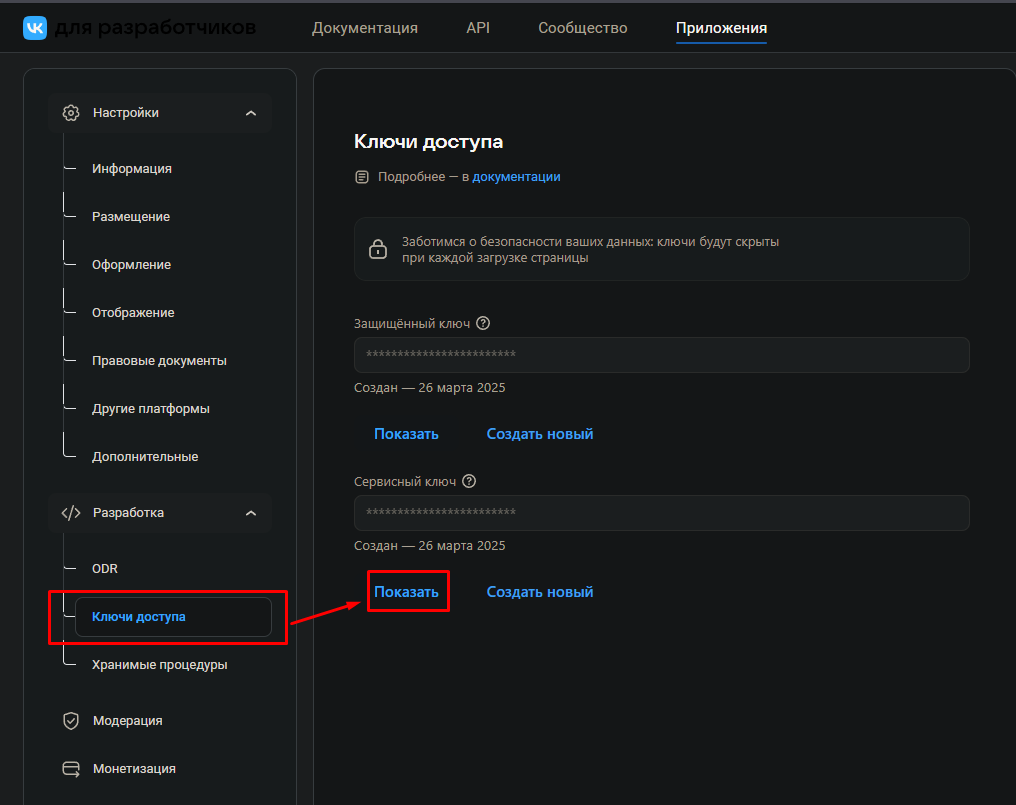
To obtain a service token, go to the settings section of the created application. In the corresponding section, you will need to generate a service key (token). This token is a critical element that allows interaction with the VK API on behalf of your application.
Save the obtained token in a safe place, as the operation of your application depends on its security.
3. Adding the Token to Gml
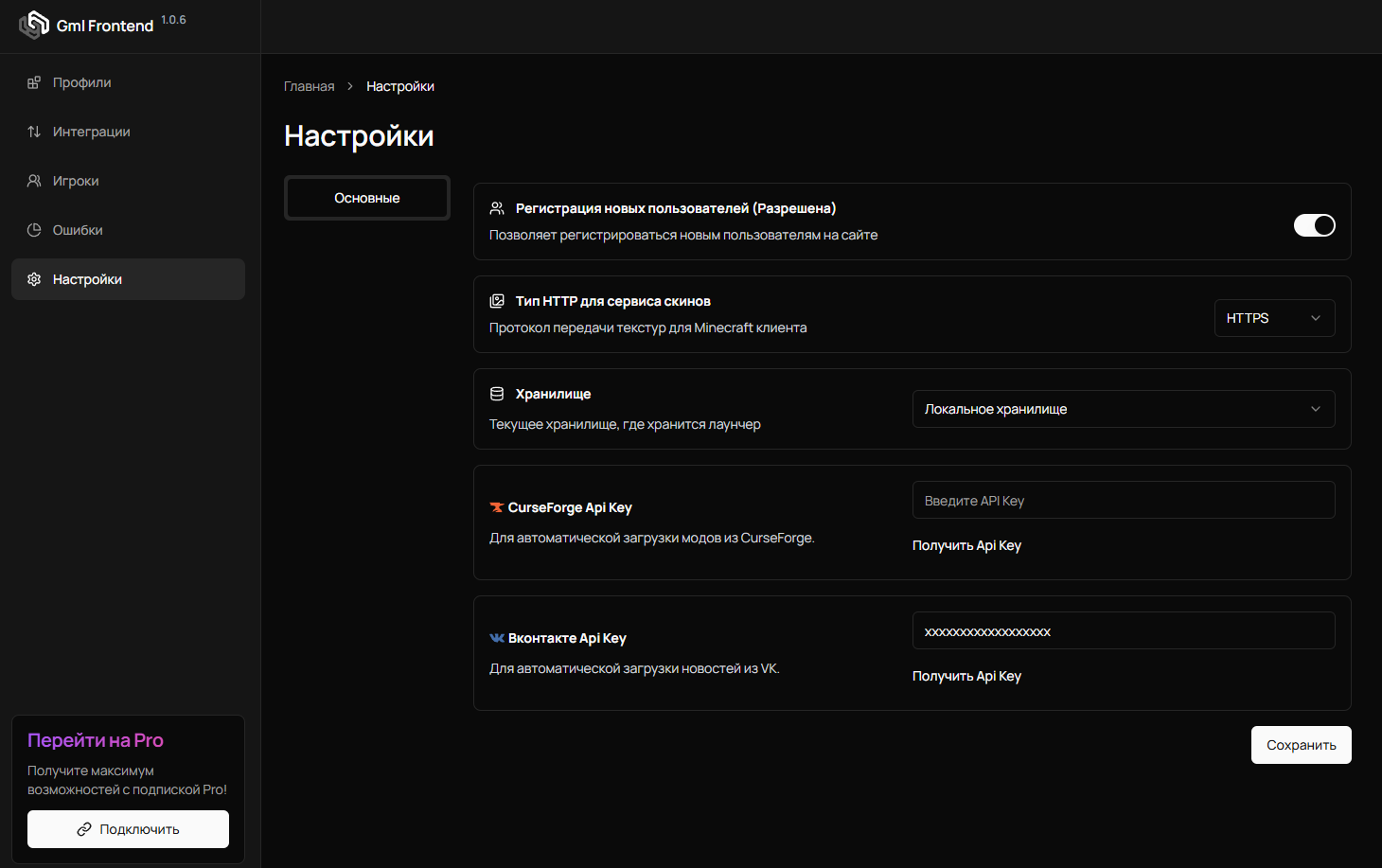
In the final stage of integration, go to the Gml settings and enter the previously obtained service token. Ensure the accuracy of the entered data for a successful integration.
4. Importing News from a VK Group
Go to the integration page in the news section and provide the link to your public page, then click create.
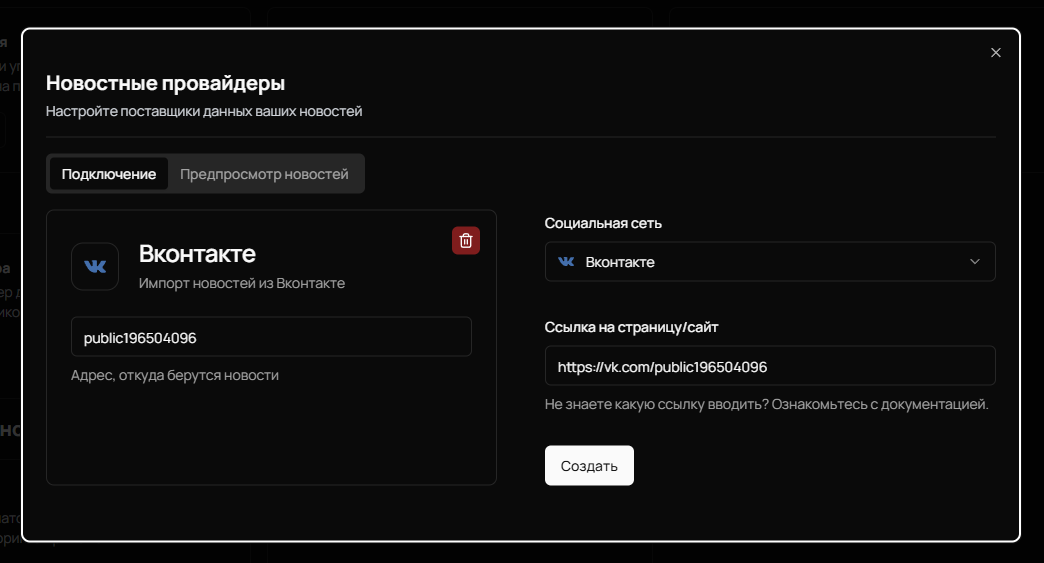
If everything is done correctly, news from the VK group will appear on the "News Preview" tab.
After completing all the described steps, your integration with VK news will be complete. Ensure all settings meet the requirements to avoid possible errors.